
FBI Warns: Fake File Converters Are Infecting Chrome, Safari, and Edge Users with Malware
FBI Warns: Fake File Converters Are Infecting Chrome, Safari, and Edge Users with Malware
The FBI just issued a new warning—and it’s one you need to take seriously. If you’ve ever searched for a free online file converter to turn a PDF into a Word doc or an MP3 into a WAV, you could’ve already exposed yourself to malware.
Hackers are now creating fake document converter websites that look completely legit. These sites appear in Google, Bing, and other search results—sometimes even at the very top thanks to paid ads. You click, upload your file, and just like that, your system gets infected. No download prompt, no obvious sign—just silent installation of malicious software that can steal your passwords, spy on your activity, or lock your files and demand ransom.
Here’s how they’re doing it.
The Setup: Fake Sites That Look Real
These malicious pages often have URLs that are just slightly off. Think “convertix-api.xyz” or “imageconvertors.com”—close enough to seem normal, but off by a letter or using a weird domain. They’re designed to trick you into thinking you’re using a trusted service.
Some examples flagged by the FBI include: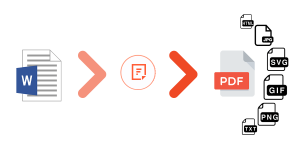
-
convertix-api[.]xyz – known to deliver trojans
-
imageconvertors[.]com – phishing site
-
convertisseurs-pdf[.]com – laced with riskware
-
freejpgtopdfconverter[.]com – same story
And there are plenty more just like them.
How It Works
You visit the site, drag and drop a file, and the site gives you a fake “conversion” download. But the file you get isn’t your converted document—it’s malware. Some install remote access tools (RATs), which let attackers watch and control your device. Others install password stealers, keyloggers, or ransomware.
And you might not notice anything wrong until your bank account gets drained or your files are locked with a ransom note on your screen.
Why This Matters
These aren’t amateur scams. The sites are polished. The attacks are quiet. And because people search for converters all the time—especially on work or school computers—the reach is massive. This isn’t just a personal risk; it’s a business and enterprise-level threat.
What You Should Actually Do
-
Stop using random converter sites.
-
Use built-in tools (Google Drive, Office, etc.) or trusted offline apps.
-
Double-check URLs. If something looks off, it probably is.
-
Avoid clicking converter links from search ads.
-
Keep your antivirus and OS updated.
-
If you think you’ve used one of these sketchy sites, run a full malware scan.
-
Report anything suspicious to IC3.gov—the FBI’s Internet Crime Complaint Center.
This is the kind of threat that flies under the radar. No flashy phishing emails. No obvious download buttons. Just regular users, searching for tools they need, getting blindsided.
Don’t be one of them.
If you need cybersecurity, we offer security for both personal/family computers as well as businesses. You can get started here!
Related Posts
North Korea’s Hidden Remote Job Infiltration
North Korea’s Hidden Remote Job Infiltration The Day the FBI Came Knocking Imagine answering your…

Nuclear Access Through a Microsoft Hole
Nuclear Access Through a Microsoft Hole The agency that manages America’s nuclear weapons got breached…
Infostealer Malware Dump Exposes Billions of Logins
Infostealer Malware Dump Exposes Billions of Logins A massive data leak has just surfaced online,…
Massive Data Leak Exposes 184 Million Passwords from Major Platforms and Government Accounts
Massive Data Leak Exposes 184 Million Passwords from Major Platforms and Government Accounts A massive…
Texas-Based eWorldTrade and Pakistani Partner Abtach Exposed: Massive Scam Network Used Online Ads to Defraud U.S. Consumers
Pakistani Firm Shipped Fentanyl Analogs to US Using Scam Online Ads A Texas firm recently…

AI Voice Cloning Scams: The Threat You Can’t Ignore
AI Voice Cloning Scams: The Threat You Can’t Ignore Voice cloning scams are becoming a…